Snyk and SonarQube in CI/CD: How to Roll Out Scanning Without Stalling Releases
Snyk and SonarQube can catch serious flaws before they ship. Rolled out carelessly, they can also stall releases and burn through developer goodwill. This guide covers the decisions leaders face when adding both tools to delivery pipelines.
Why Not Switch On Every Check Today?
The licenses are paid for, or a large customer's security questionnaire asked about code scanning. The obvious next step is to enable everything in every continuous integration and delivery (CI/CD) pipeline. Your engineering leads will object, and they will be right to.
A first scan of a mature codebase digs up every old problem at once. Make those results fail builds, and teams stop shipping over issues nobody wrote this week. Developers respond by rerunning jobs, clicking past warnings, or finding ways around the check.
A well-planned Snyk and SonarQube CI/CD integration still costs pipeline time and review effort. It cannot cost nothing. The aim is a cost that stays small, predictable, and spent on problems worth fixing.
What SiegePal Has Implemented
This article draws on two SiegePal engagements. One is delivered. The other is still active, and it appears in the sections on rolling out across repositories and protecting credentials.
In the delivered engagement, we deployed and configured Snyk and SonarQube in an enterprise environment. We integrated the tools into GitHub Actions to run code, dependency, and container security scans during pull requests and deployments.
The scanners were only part of that work. We also put a triage process, severity-based blocking rules, and developer fix guidance around them. Later sections show where each piece fits.
What a Successful Rollout Should Deliver
Judge the rollout by outcomes, not by how many repositories show a scanner badge. Four outcomes matter, and each one can be checked.
Serious new flaws are caught while a change is still in review. Count how many were stopped before merge and how many slipped through.
Old findings follow their own repair plan instead of holding up unrelated merges. Confirm that fixes reach production, not just the main branch.
Every finding and every exception has a named owner. Watch for findings nobody has claimed and for an exception count that keeps rising.
The scanners do not hand attackers a new route into your code or cloud. Keep a short list of who can use scanner credentials, and review it each quarter.
Start With Your Highest-Risk Repositories
Rank Repositories by Exposure, Data, and Release Pace
List your repositories next to the services they deploy, and ask three questions of each.
Can it be reached from the internet? Does it touch customer or regulated data? How often does it ship?
Repositories that score high on all three go to the front of the line. A public service that deploys daily matters more than a script behind a monthly report. Its steady flow of pull requests also shows quickly whether the scanners earn their keep.
Archived projects and code due for retirement can wait. A scheduled scan can still cover them without touching anyone's release.
Use the Pilot to Learn About Noise and Ownership
Start with two or three repositories owned by different teams and written in different languages. Include at least one busy service, since that is where extra scan time will hurt first. Include a team that will tell you plainly when something gets in the way.
Keep the pilot going through real pull requests, a few false alarms, and at least one exception request. Those early lessons about noise, timing, and ownership become the rules for everyone else.
Plan for Many Repositories From the Start
Scan configuration copied into each repository drifts quickly. One team updates a rule, another never does, and nobody can say which version runs where. Shared templates avoid that, because one reviewed change reaches every repository that uses them.
Decide Which Tool Owns Which Findings
What Each Tool Examines
Snyk is a family of scanners. Snyk Open Source checks the third-party packages you depend on, while Snyk Code reads your own source. Snyk Container examines images, and Snyk Infrastructure as Code checks templates such as Terraform files. Snyk also publishes GitHub Actions that run its scans inside a workflow.
SonarQube concentrates on your own code. It flags security, reliability, and maintainability problems. A quality gate, a set of pass-or-fail conditions, decides whether each analysis is acceptable.
One sensible first split hands dependency and container findings to Snyk and first-party code to SonarQube. Treat that as a starting point, since your licensed products may favor a different split.
Give Overlapping Findings One Authoritative Tool
The two products overlap in ways that matter for a rollout. Snyk Code scans first-party source, just as SonarQube does. SonarQube can also scan dependencies if you license its Advanced Security add-on.
When two engines cover the same ground, developers see one problem twice, with two IDs and two severity ratings. They either fix it twice or argue over which tool to believe.
Name one tool as the authority for each type of finding before any check goes live. If both must run, let the second one report without blocking. Tools that merge results from several scanners can also strip out duplicates. That adds one more system to maintain.
Confirm Edition and Plan Limits Before Designing
Some rollout choices depend on what you bought. Sonar's edition comparison shows pull request analysis starting at Developer Edition. Dependency scanning is a paid add-on from Enterprise edition. Snyk offers service accounts, its preferred identity for automation, on Enterprise plans.
Data handling matters too. Even in its default mode, SonarQube's dependency scanning queries a Sonar-operated cloud service about your dependencies. Check that against your customer commitments before enabling it.
Introduce Findings Without Flooding Developers
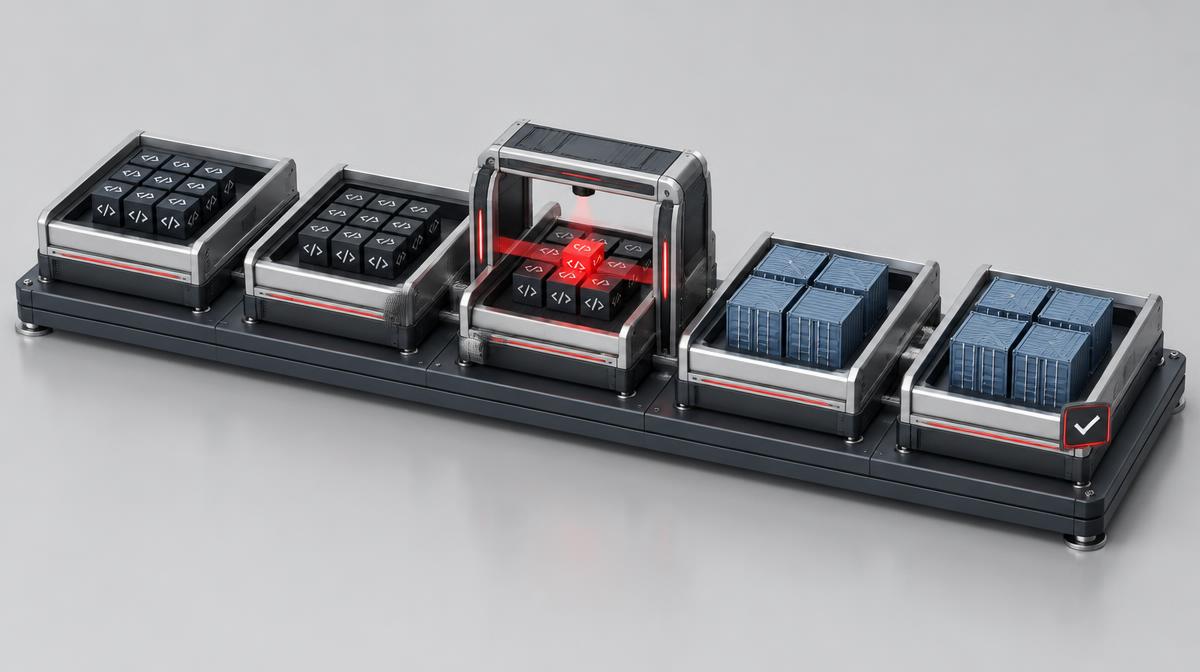
Roll out in stages, and move on only when the current stage is working.
- Run the checks in a few pilot repositories without blocking any builds.
- Review what they report, and tune or switch off rules that create noise.
- Once the checks are reliable, block builds only for serious new findings.
- Add more repositories in batches, and review the thresholds as you go.
Existing findings stay outside this sequence. They follow a separate remediation plan, with a named owner for each finding.
Begin With Comments, Not Failures
For the first few weeks, let both tools post results without failing a single build. Developers see what the scanners say about their own changes. Your security lead sees how much the tools really produce.
Use this quiet period to tune. Expect rules that fire constantly, build setups a scanner cannot read, and repositories where scans simply crash. Clear those out first, because a block will only be trusted if the junk is already gone.
Judge Each Change by What It Adds
A pull request should answer for what it brings in, not for the repository's whole history. Both tools can work this way, though not identically.
For pull requests, SonarQube applies only the gate conditions written for new code, as its pull request analysis documentation explains. Snyk behaves similarly when connected to GitHub through its source-control integration. Its pull request checks can fail only when a change adds a package with known issues.
Snyk's command-line tool works differently inside a pipeline. By default it tests the whole project, so old issues can break the build. Snyk describes extra tooling for failing only on new issues. Decide which approach each repository uses, and write the choice down.
Give the Existing Backlog Its Own Plan
Old findings still matter. They just should not decide whether today's merge goes through. Sort them by the single change that would fix them, then rank by exposure and severity. Upgrading one shared base image or library can retire a whole cluster at once.
Handle that work like any other technical debt, with an owner and a target date for each application. Our continuous vulnerability management services take on this sorting and repair. For ticket routing and confirming fixes, see our guide to automated vulnerability management.
Report the backlog apart from new findings. Otherwise good news on one side can mask trouble on the other.
When Should a Finding Stop a Merge?
Block Only Findings You Can Defend
Keep the blocking rule tight. If developers hit it every day, they will stop believing it.
A good first rule stops a merge only when four things are all true.
The change itself introduced the problem. It is rated high or critical. The tool is confident the problem is real. A fix or safer option exists.
Snyk's pull request settings come close, with options to fail only on high or critical issues that have a fix. The block itself happens in GitHub, where rulesets or branch protection make a check mandatory.
Anything below the bar still appears as a comment or a ticket. It is deferred, not dismissed.
Choose Which SonarQube Conditions Block Releases
SonarQube's built-in Sonar way gate judges more than security. It also covers new issues of any type, test coverage, and duplicated code.
Those are fair engineering standards, but they are not all security risks. Decide which conditions are worth stopping a release for. One option is a security-focused gate that blocks, with broader quality checks reported as advice.
Decide What a Broken Scan Means
Scanners break for dull reasons: an expired token, a vendor outage, a build file the tool cannot parse. Snyk's test command even returns different exit codes for "found problems" and "could not finish."
Leadership has to decide what a broken scan means. Treat it as a failure, and releases stop whenever the vendor has a bad day. Let the build pass, and a dead scanner can go unnoticed for weeks.
There is a middle path. It lets routine branches continue, alerts the security owner, and holds release branches until scanning recovers. Avoid shortcuts that mute every scanner error, because they mute real findings too.
Assign Owners for Findings and Exceptions
Name an Owner for Every Repository
Give every repository a named engineering owner for scanner results. The security team sets the rules and keeps the alerts accurate, while the repository owner gets fixes shipped. Settle this before enforcement starts, or the first blocked release becomes an argument.
Set a response time for disputes. A developer stuck behind a likely false alarm needs an answer the same day. Publish who answers and how to reach them.
Some companies have nobody senior enough to own these rules. A virtual chief information security officer (vCISO) can fill that gap and report progress to leadership.
Make Every Exception Expire
You will need exceptions. Some alerts are simply wrong, and some describe code paths your product never uses. Other fixes have to wait for a maintenance window. Trouble starts when exceptions are granted and then forgotten.
Every exception should carry a reason, an approver, and an end date. For dependency findings, Snyk's command-line ignores can sit in a .snyk file with a reason and expiry. Because that file lives in the repository, require code owner review on it.
Snyk Code findings are handled separately. Snyk's Ignore Approval Workflow can turn those ignores into requests a reviewer must accept, once the related settings are enabled.
Keep the Scanners From Becoming a New Risk
Limit Who Can Use Scanner Credentials
A scanner token can reveal your findings, which amounts to a list of your weak spots. Ask for the narrowest token each tool offers, such as SonarQube's single-project analysis tokens, rather than a person's own token.
Then look at who can use those tokens. In GitHub, organization secrets can be limited to selected repositories. That limit matters, because write access is broader than it looks.
Someone with write access can change a workflow so it uses a secret stored for that repository. A malicious or careless change could then send it somewhere else, as GitHub's security guidance warns.
Restrict What Scan Workflows Can Run
Every scan step is someone else's code running beside your credentials. GitHub recommends pinning third-party actions to an exact commit and giving workflows only the permissions they need.
Pay special attention to the pull_request_target trigger. On its own, it runs trusted code from your default branch. The danger appears when such a workflow checks out and runs code from an untrusted pull request. That code then executes with access to secrets and a write-capable token.
Ask whether any scan workflow does this.
Roll Out Without Organization Admin Rights
A rollout touches every repository, so it is tempting to make the implementer an organization admin. That is rarely necessary.
Implementation work can often proceed with Write access. An authorized administrator can handle settings that require elevated permissions. GitHub rulesets also let you list who may skip a required check. Keep that list short and review it often, since everyone on it can walk straight past the gate.
How Much Will Scanning Slow the Pipeline?
Some. Nobody should promise you zero impact. Three habits keep the added time small.
Run scanners alongside your tests rather than after them. Keep pull request checks focused on the change itself. SonarQube, for one, uses incremental techniques to shorten pull request analysis.
Then move heavy work off the release path. Full repository scans, image rescans, and backlog reports can run overnight. Snyk's monitor command, for example, records a dependency snapshot for ongoing tracking without failing the build.
Time the pilot pipelines before and after scanning. Set a target from those numbers, and treat any slip as a bug.
Measure Whether Risk Is Falling
Total alerts make a poor yardstick. Add ten repositories and the number jumps, even if nothing got worse. Better signals come from a handful of direct questions.
Monthly Checks for Leadership
Start with prevention. How many repositories have scanner checks that are required, not merely installed? How many serious new findings were stopped before merge, and how many slipped through?
Then follow the fixes. Are they deployed to production, or only merged? How long do blocking-level findings take to close, including the slowest few?
Finally, watch exceptions. Is the number of open exceptions rising? Have any passed their end date without review?
Early Signs That Developers Are Losing Trust
Watch how developers treat the gates. Climbing overrides and repeated reruns usually point to noisy rules. Tune those before you tighten anything.
Count failed scan jobs as well. A scanner that has stopped running produces no alerts, and silence is easy to mistake for good news.
The Work Behind These Decisions
What Has to Be Built
The build work starts with an inventory of repositories and a check of what your licenses include. Next come shared scan workflows for each language stack and narrowly scoped tokens. Quality gates, Snyk pull request settings, and GitHub rulesets follow.
The day-to-day side counts just as much. Teams need a triage playbook and a way to request exceptions. They also need plain fix guidance and a simple metrics view.
None of this ends at launch. Thresholds tighten over time, and new repositories keep arriving.
When Outside Help Is Worth It
With spare capacity and pipeline security experience, your own team can do this alone. Bring in help when either is missing, or when a stalled rollout is holding up a customer's security review.
Help also pays off when many repositories need one consistent design for workflows, access, and exceptions. Whoever you hire should leave behind workflows, rules, and playbooks your engineers can run without them.
Planning Your Snyk and SonarQube CI/CD Integration
Need these tools running without holding up releases? We can design the rollout or build it alongside your team, as we have for the engagements above. That includes scope, blocking rules, credential setup, and the triage process behind them.
Book a free 30-minute call to talk through your repositories and pipelines.